“Python Foot” graphic by David Day.

How To Install Python On Windows XP
Instead of being all things to all users, this little how-to assumes the following:
- You are a Windows XP user who is curious about computer programming;
- You would like to install the Python computer language on your Windows XP machine, start the Python interpreter, and run the classic “Hello World!” program.
If you have questions, like “What is Python and why should I install it on my Windows XP computer?” go read Why Python on Windows XP? Come back if you want to install Python.
Back already? Never left? Okay, proceed.
A company called ActiveState makes a free, all-in-one Python distribution that has everything you need to run Python on Windows XP, with all of the “hooks” you’ll eventually want to control your Windows machine and Windows programs using Python.
I don’t work for ActiveState. I am not an affiliate. There is no affiliate id or code in the link I provide to their site. I get no fee or percentage from them. I am not a computer expert, nor am I a computer scientist, just a Python fan.
Ready? Assuming you have cable or DSL, you are less than seven minutes away from having Python installed on your computer and typing your first command at the interpreter prompt. Go!
- Open another browser window (so you can keep reading this one) by pressing shift-and-click on the: ActivePython page of the ActiveState site.
- You are on the ActivePython page. See the “Choose From” menu box, where the first choice is “ActivePython”? Next to it is a little blue “Download” button. Click on it.

- Now a form appears where, if you wish, you may give ActiveState your name and email address. It’s not required. If you comply, you may receive one or two emails a year telling you about new distributions. If in doubt, skip it, come back later and sign up. Click “Continue“.
- Now you’re on a page where you get to choose from a dozen different Python installations, just in case you are an Alpha Geek interested in installing Python on your Solaris Sparc WorkStation, your Slackware distro, or your AMD64 desktop. If you’re an Alpha Geek, you know which one to install, right? But you’re not an Alpha Geek (yet), you’re an average Windows XP user, right? So you want the newest version (2.6.2.2) under “Windows (x86).” Choose the MSI version (31.2 MB).” The actual link is the little blue “MSI.”

- Download this file and make a note of where you store it on your computer. It takes a few minutes to complete the download. Pass the time by recalling the “Bring Out Your Dead” scene from The Holy Grail. Done? Okay, go find the ActivePython file on your computer.
- As of this writing, the file you downloaded is called “ActivePython-2.6.2.2-win32-x86.msi.” It’s about 31 megabytes, which is half the size of the last driver I installed for my Logitech Mouse.
- Double-click on the ActivePython file. (One user reports that on Vista you must acknowledge that the software maker is unknown.)
- Up pops the ActiveState box and tells you it’s going to install ActivePython. Click Next.
- Up pops the Licensing Agreement. Check the Accept box. Click Next.
- Up pops a dialogue box allowing you to customize the installation. Don’t customize it. Click Next.
- See the button that says “Install”? Click it.
- You’re done, and the ActivePython User Guide appears.
- Now go to START | All Programs | ActiveState ActivePython 2.6.
- The menu will break out into submenus. You want the one that says: “Pythonwin Editor.” Click on it.
- You are now at the command prompt of the Python interpreter and ready to speak Parseltongue.
- Your cursor will be blinking just to the right of a prompt that looks like this: >>>
- Type the following command there and make sure that “Hello World!” is inside quotation marks:
>>> print “Hello World!” - Press Enter. You should see Hello World! appear in a different-colored font on the line below.
- If so, you’re done!
You are inside the interpreter of the Pythonwin IDE (Integrated Development Environment). Leave the Python interpreter open, ready, and waiting to take your commands. Go to one of the following tutorials, which will teach you how to use the Python interpreter to learn Python:
- Learning To Program (if you’re in a hurry to type more commands into the interpreter, go straight to the “Simple Sequences” section of Professor Gauld’s justifiably famous tutorial).
- A Beginner’s Python Tutorial. Steven Thurlow wrote this simple, excellent tutorial for the modding community of Firaxis’ Civilization. Useful to beginners with little or no programming knowledge.
- A Tutorial For Non-Programmers Looking To Get Started With Python, a Wikibook by Josh Cogliati and several other contributors.
- How To Think Like A Computer Scientist, by Jeffrey Elkner, Allen B. Downey and Chris Meyers.
Once you become comfortable playing with the Python Interpreter, go to the BeginnersGuide/NonProgrammers page of the Python.org site and select more tutorials. There are plenty of good ones. All free!
Any Vista users? You can help by leaving a note about any differences you encounter while following these instructions on Vista. So far it seems you must acknowledge that the publisher of the software is unknown? Thanks, rd
Later, when you start learning to program and have more questions, visit the Python Users Group at Google Groups and search it. Chances are your question has already been asked and answered. Also, when you need help remembering commands, refer to this excellent Python Quick Reference sheet. And be sure to visit the beautiful, new, SEARCHABLE Python documentation page from the busy geeks at Python.Org.
If you prefer learning from a good Python book, try one of these two written for beginners:
- Python Programming For The Absolute Beginner, by Michael Dawson;
- Python Visual Quickstart Guide, by Chris Fehily, also the author of the best, cheapest, and shortest SQL book ever written: SQL: Visual Quickstart Guide (3rd Ed).
After you acquire basic knowledge in Python, you can move onto some other great books:
- The Python Cookbook, 2nd Ed., by Alex Martelli, Anna Ravenscroft and David Ascher, which provides “recipes” for common tasks you might like to accomplish using Python on your computer. For many people, this is the best way to learn code, by studying examples contained in programs that do useful work.
- Learning Python, 3rd Ed., by Mark Lutz, commonly considered the most thorough introduction to the language for beginners, now out in a new 3rd edition that covers Python 2.5 and looks ahead to Python 3.0.
- Python: Essential Reference, 3rd Ed., by David M. Beazley. This is the newest of the Python books and probably the best all-around Python book, but newbies may find it overly terse. Beazley wastes no words and has a tight, crisp writing style. If you are already familiar with basic programming concepts, but are new to Python, Beazley is your man.
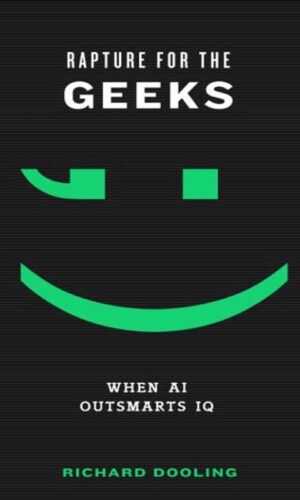
In my most recent book, Rapture For The Geeks: When AI Outsmarts IQ, I argue that Python should be declared the Official Language of The Singularity. If you agree, cast your vote by leaving a comment below.
Rapture For The Geeks also includes an Emily Dickinson poem translated into the Python programming language by Python experts Alex Martelli and Anna Ravenscroft (see page 196 of Rapture).
Have fun!
Richard Dooling


{ 1 trackback }
{ 102 comments… read them below or add one }
← Previous Comments
thank you sooooooooooooooooooooooooooooo much Richard
Python?????
← Previous Comments